I got tired of flying blind — so I built OCC Desktop.

I run OpenClaw daily, and I was done bouncing between logs, sessions, and node checks. OCC Desktop is the Linux desktop "what's actually happening?" view for Gateway health, live sessions, node metrics, agent progress, usage/cost, pairing, and crew.

Grab it — $39
Why I built it

→

I built it to stop log-spelunking for basic health checks

→

…to see what agents are doing without guessing

→

…to catch stuck sessions before they waste hours

→

…to spot flaky nodes and resource issues fast

→

…to know when pairing broke (and who's offline)

→

…to track usage/cost like an adult

Here's what it looks like

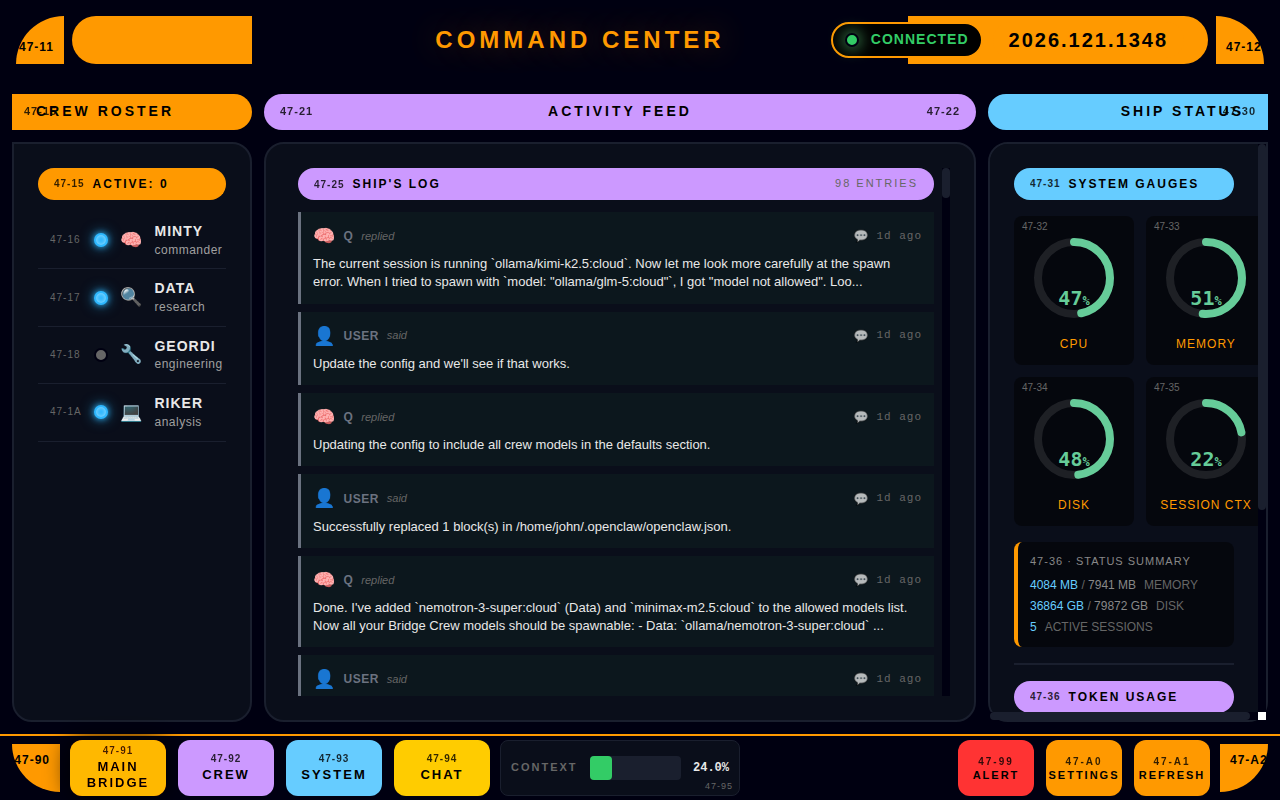
Main Bridge Dashboard
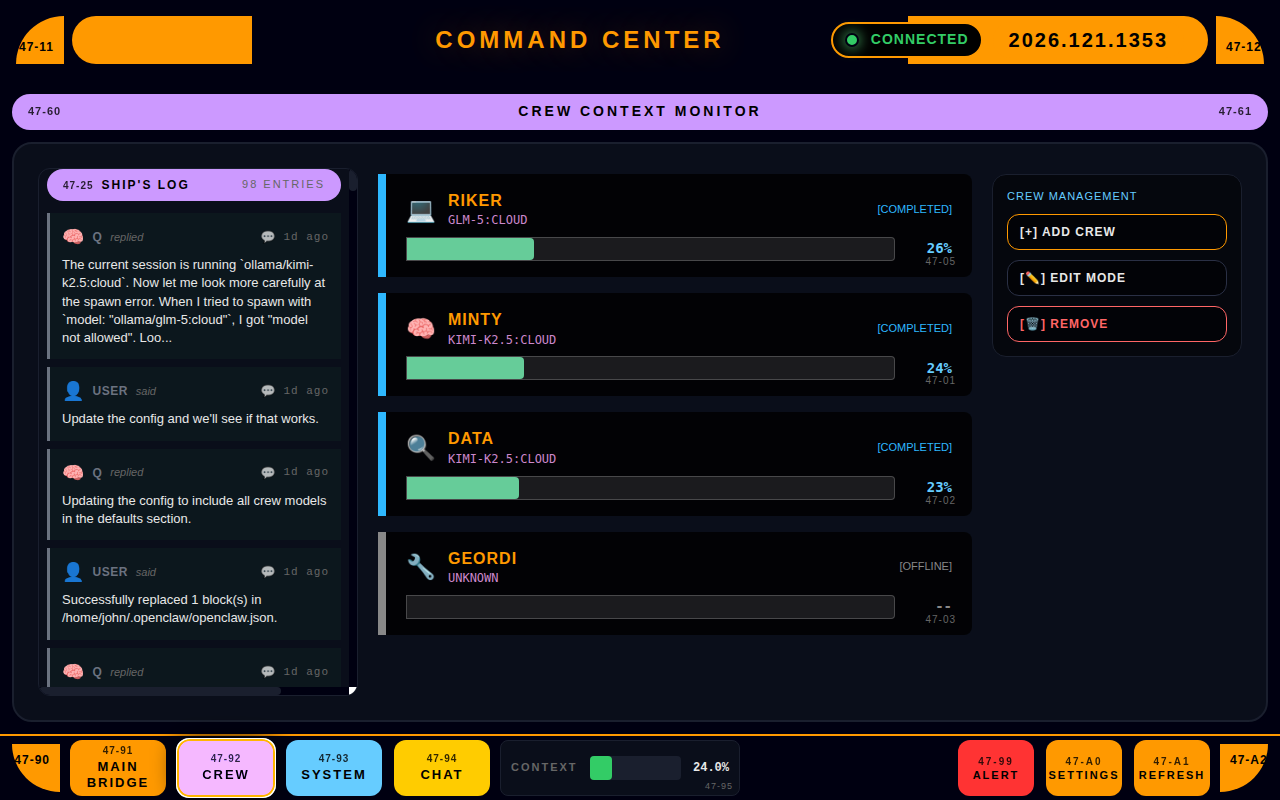
Crew Management
Crew Management
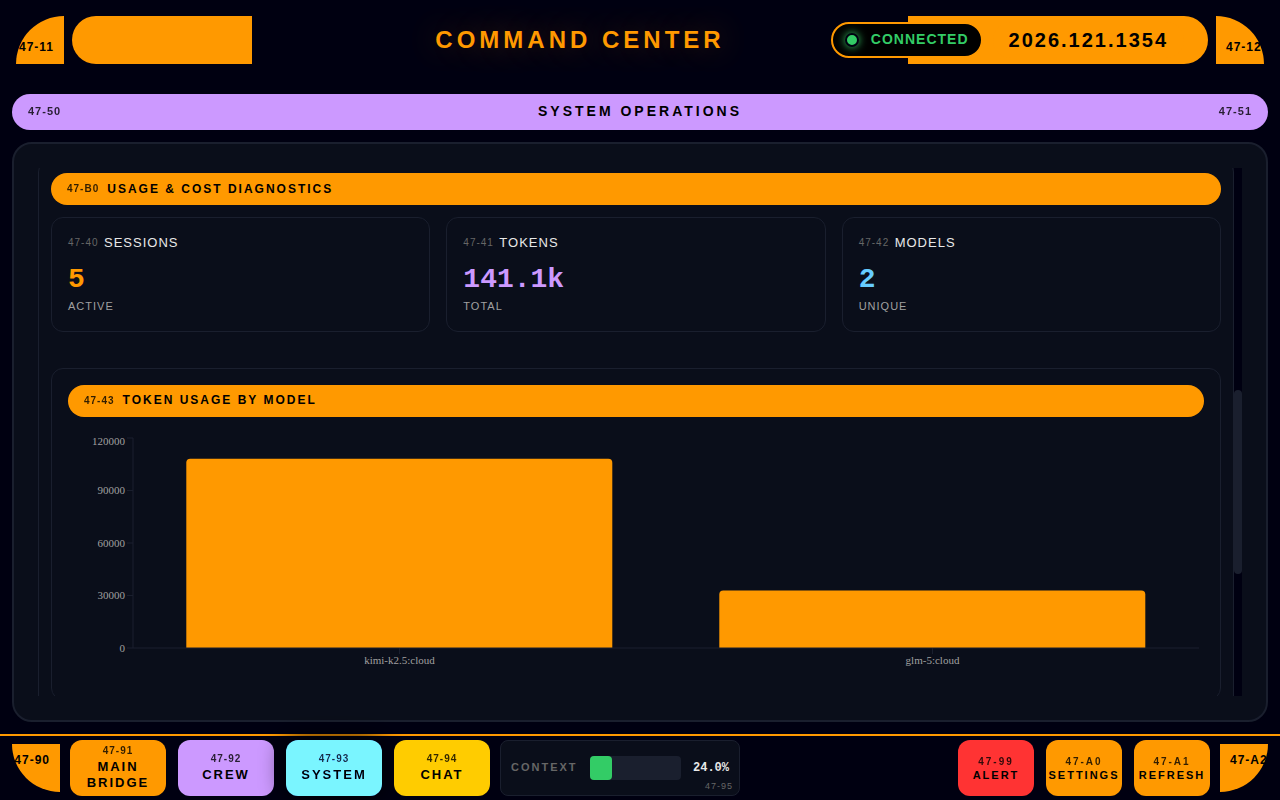
Usage & Cost Tracking
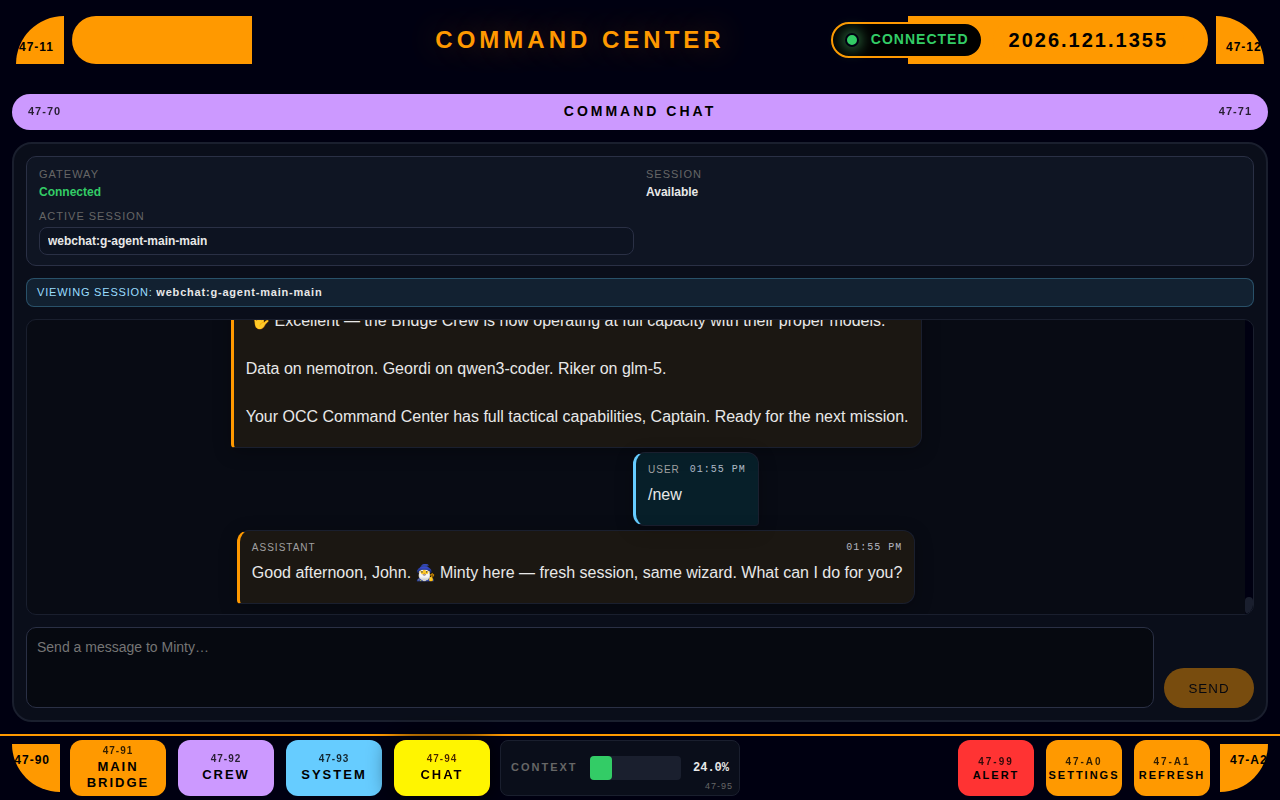
Command Chat
Command Chat

The bottom line

OpenClaw is great — until you're stitching together your own "dashboard" from terminals and mental state. I wanted one window that answers: what's healthy, what's running, what's stuck, and what needs attention. That's OCC Desktop.

One dev's solution. Maybe it'll work for you too.

Simple pricing

$39
Buy OCC Desktop (one-time) — $39 USD
  • Full app, no feature gates
  • Free updates for all v0.x releases
  • No subscriptions, no seats, no nonsense
  • 30-day money-back guarantee
Buy Now — $39